General Tab
Basic Information
E-Invoice Identity (Singapore only)
Singapore tenants don’t get a separate E-Invoice tab — instead, a small E-Invoice Identity section appears right here on General, because Singapore’s e-invoicing setup is simpler and doesn’t need MyInvois-style intermediary onboarding.Address
Every non-Malaysia tenant fills in the address here on General: Address Line 1/2/3, City, Postal Code, State (a dropdown where your country has a known state list, otherwise a free-text field), and Country.Settings
Create a Location
1
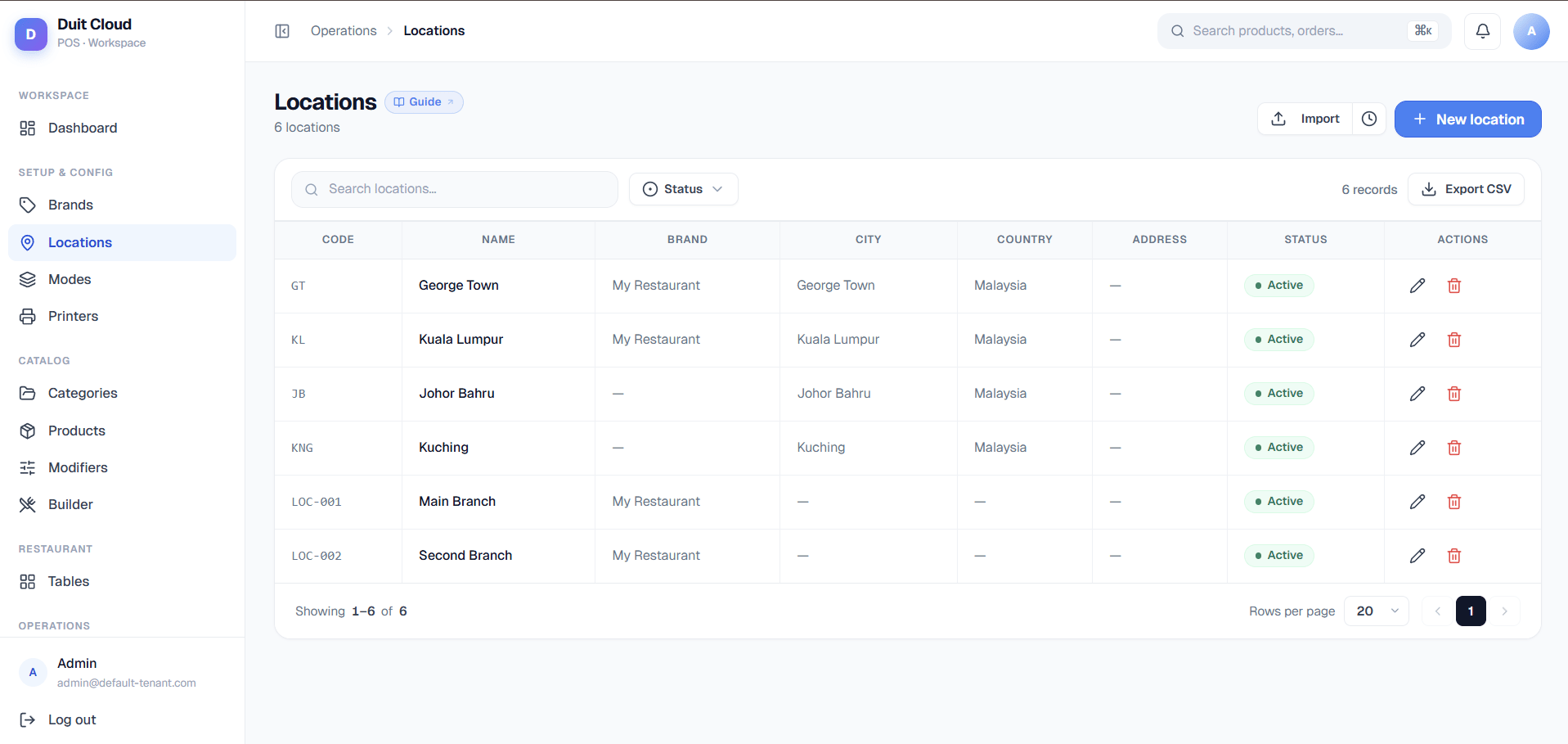
Go to Locations
Click Locations in the left sidebar.
2
Click New Location
Fill in Code and Name at minimum, plus Brand if your account uses brands.
3
Save
Click Create. The location is immediately available in the dashboard and POS. If you’re on a Malaysia account, open it again afterward to fill in the E-Invoice tab — e-invoicing fields aren’t part of the initial create form.
E-Invoice Tab (Malaysia only)
Malaysia requires businesses to submit sales as electronic invoices to LHDN (the tax authority) through their MyInvois system. Getting your own developer credentials with LHDN is a real onboarding process — most restaurant and retail owners don’t want to do that themselves. So DuitPOS is registered with LHDN as an authorized intermediary: one shared platform identity that is allowed to submit e-invoices on behalf of every DuitPOS tenant. That doesn’t mean e-invoicing is automatic the moment you sign up, though. Two things still have to happen for each location, and this tab is built around exactly those two things:- You fill in this location’s own tax identity (its TIN, BRN, MSIC code, address) — LHDN needs to know who the invoice is actually from.
- You log into your own MyInvois portal (outside of DuitPOS) and explicitly authorize DuitPOS as your intermediary — LHDN won’t let a platform submit on your behalf until you’ve granted that permission yourself.
Step 1 — Fill in e-Invoice details
Click Save at the bottom of this card to persist changes — it saves independently of the General tab.
Step 2 — Add as Intermediary in MyInvois
This card is a walkthrough for something you do outside DuitPOS, in your own government MyInvois account. DuitPOS can’t do this step for you — LHDN requires the authorization to come from you, logged in as the taxpayer.1
Log in to the MyTax Portal
Go to the official MyTax Portal (
mytax.hasil.gov.my) and sign in with your own credentials.2
Open the MyInvois menu
On the top menu, click MyInvois.
3
Go to Manage Taxpayer Profile → Representatives
Open Manage Taxpayer Profile, then scroll to the Representatives section, under the intermediaries tab.
4
Click Add Intermediary
This opens a form asking for the intermediary’s TIN, BRN, and Name.
5
Enter DuitPOS's platform Intermediary identity
The E-Invoice tab shows a read-only table with TIN, BRN, and Name — copy these into the MyTax form. This is the platform’s shared identity, not this location’s own TIN from Step 1. It’s the same three values across every DuitPOS tenant, set once by DuitPOS’s own root admin — you don’t fill it in, you just copy it.
6
Set the authorization Period
The form shows Today Until 2030-12-31 — effectively an indefinite authorization. You don’t need to renew this yearly.
7
Enable permissions
Turn on all four: Submit, Cancel, Request Rejection, and Notification. Click Add to confirm.
Invoices Tab (Malaysia only)
A third tab, Invoices, shows every e-invoice document generated for this specific location: search, date-range filters, a “Submitted only” filter, bulk submit for outstanding drafts, PDF/Excel export of validated invoices, and a Validated Total summary card showing the running total of everything LHDN has accepted. A Submit Invoice button jumps to the manual submission form pre-filled with this location. This tab is a location-scoped view into the same e-invoicing system covered in full on E-Invoicing — head there for how statuses, consolidation, and the public claim flow work in depth.Frequently Asked Questions
An employee cannot see a specific location — why?
An employee cannot see a specific location — why?
Location visibility for employees is controlled by the role assigned to their user account. If a staff member should only see one location, assign them a role scoped to that location. Contact your administrator if you are unsure how location-based permissions are set up on your account.
What's the difference between the platform's Intermediary identity and my location's TIN?
What's the difference between the platform's Intermediary identity and my location's TIN?
Your location’s TIN (from Step 1) identifies your business as the supplier on your own e-invoices. The platform Intermediary identity (TIN/BRN/Name shown in Step 2) identifies DuitPOS itself as the party LHDN allows to submit on your behalf — it’s the same three values for every DuitPOS tenant, and you only ever copy it into MyTax, never edit it.
What consolidation period should I pick?
What consolidation period should I pick?
“Use tenant default” is the safe choice for most locations. If this location does high walk-in volume with a lot of unclaimed receipts, choose a shorter period (Daily or Every 3 days) rather than Monthly — LHDN auto-invalidates a consolidation window after 38 days (CF321), and a busier location has less margin before hitting that limit.
Can I delete a location?
Can I delete a location?
Deletion is blocked if the location has any associated transactions or employees. Deactivate it instead (Active switch, General tab) to keep your historical data intact while hiding it from the POS selector and active reports.
Related
E-Invoicing
Document list, statuses, consolidation, and the public claim flow
LHDN Admin
Platform-wide LHDN environment, intermediary credentials, signing certificate
Tax
Configure tax rates and rules applied at this location
Reports
Filter reports by location