General Tab
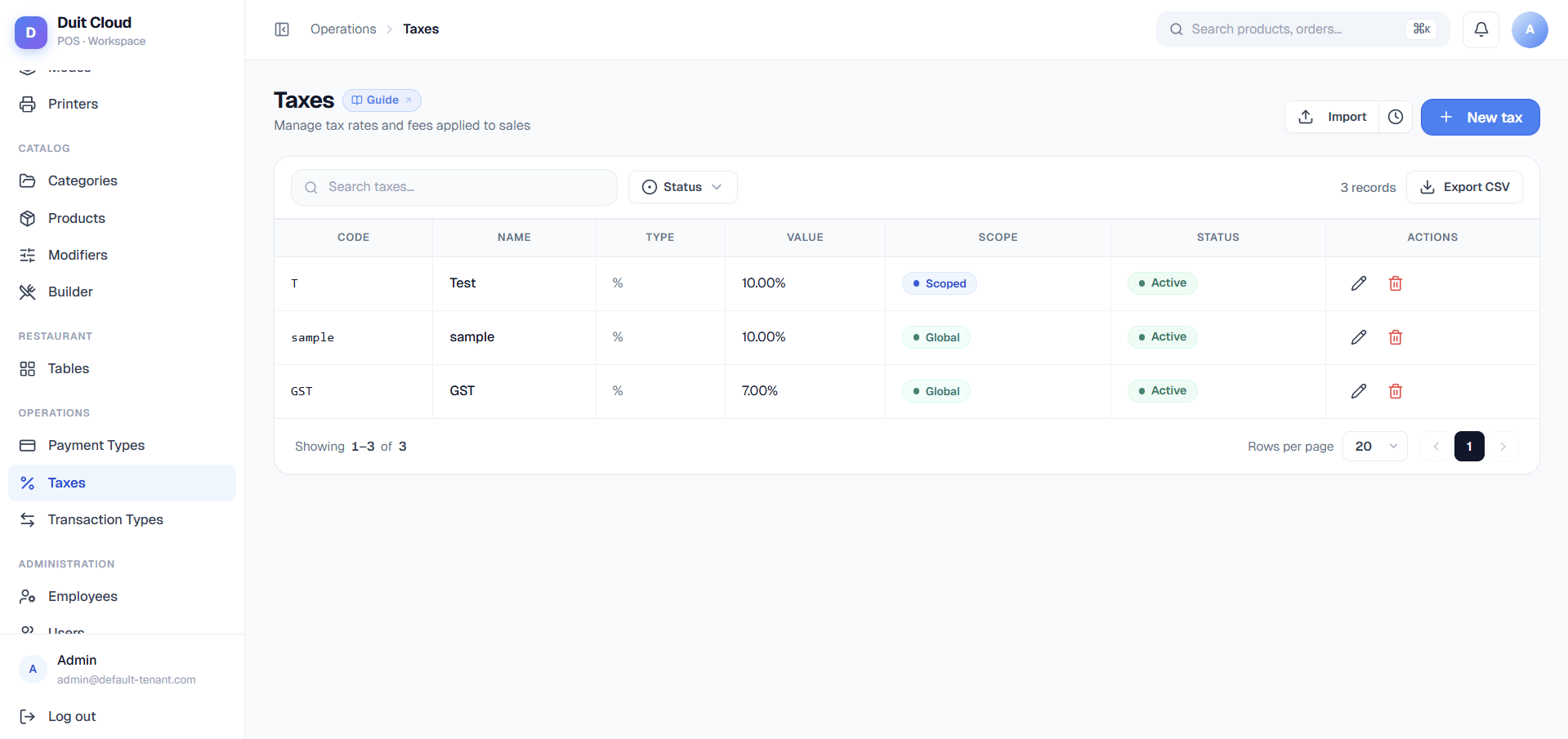
The General tab defines the core tax — its code, rate type, and how it applies across your business.General Fields
Create a Tax
1
Go to Operations → Tax
Click Tax in the left sidebar under Operations.
2
Click New Tax
Enter the Code, Name, Type (Fixed or Percentage), Value, Transaction Type, and Scope.
3
Choose Scope
- Global: Tax applies to all items (or all items of the Transaction Type).
- Scoped: Tax applies only to items you explicitly map in the Mapping tab below.
4
Save
Click Create. Tax is immediately active.
Rules Tab
Tax Rules override the base tax value (or disable it entirely) for a specific location and/or order mode. This is how you implement regional rate differences or mode-specific charges.Why Tax Rules Matter
Example: You operate in Singapore (10% GST) and Malaysia (6% SST). Create one “GST/SST” tax, then add two rules:- Rule 1: Location = Singapore → Value 10%
- Rule 2: Location = Malaysia → Value 6%
Tax Rule Priority — Inverted vs. Products
Rules Fields
Create a Tax Rule
1
Open the Tax you want to override
Click Edit on any tax, then go to the Rules tab.
2
Click Add Rule
Optionally select a Location and/or Order Mode.
3
Enter the Override Value
Provide the new tax rate or amount for this context.
4
Save
The rule is active immediately. Future transactions in that context use the override.
Mapping Tab
Mapping defines which categories and products a scoped tax applies to. Global taxes ignore this tab (they always apply); scoped taxes only apply to items in a matching mapping.Why Mapping Matters
Example: You want 10% tax on food items only, not beverages.- Create a tax “Food Tax” with Scope = Scoped.
- In the Mapping tab, add two mappings:
- Category = “Main Dishes”
- Category = “Appetizers”
- Beverages (even if in the menu) are never taxed because they aren’t in the mapping.
Mapping Rules
- A Category mapping applies to all products in that category (and sub-categories if nested).
- A Product mapping applies only to that specific product.
- If a product is explicitly mapped, its category mapping is ignored (product is more specific).
- Scope must be “Scoped” for mappings to have effect. Global scope bypasses this tab.
Add a Mapping
1
Open the Scoped Tax you want to map
Click Edit, then go to the Mapping tab.
2
Click Add Mapping
Choose Category or Product.
3
Select the Category or Product
The tax will now apply to that category (or product).
4
Repeat for other categories/products
Add as many mappings as needed.
5
Save
Mappings take effect immediately.
Associated Taxes
Associated taxes let you stack taxes — apply one tax only when another tax is applied. This is used for compound charges like “apply a tax-on-service charge whenever the Service Tax is applied.”Example: Service Tax + Tax on Service
- Create “Service Tax” (e.g. 10%, Scope = Global).
- Create “Tax on Service” (e.g. 5% of the Service Tax, Scope = Global).
- In “Tax on Service” → Associated Taxes tab, select “Service Tax”.
- Result: When a ticket applies the Service Tax, it automatically also applies the Tax on Service to the service charge line, not to food items.
Associated Taxes Fields
Frequently Asked Questions
What's the difference between Scope (Global/Scoped) and Mapping?
What's the difference between Scope (Global/Scoped) and Mapping?
Scope determines when the tax is used:
- Global: Always apply to items of the matching transaction type.
- Scoped: Only apply to items that are explicitly listed in the Mapping tab.
Can I have multiple taxes on one item?
Can I have multiple taxes on one item?
Yes. If multiple taxes are global (or both match the item’s mapping), all apply. They are stacked per line item and summed in the Tax Report. Use the Transaction Type field to group them clearly on the receipt.
Why is my override not working? I set a Location rule but it's not being used.
Why is my override not working? I set a Location rule but it's not being used.
Check: (1) The Rule is set to Enabled. (2) The Rule’s Location matches where the sale occurred. (3) If an Order Mode rule also exists for that order, the Order Mode rule wins (even if you expect the Location rule). This is the inverted priority for taxes — see the Rules tab Warning for details.
How do I disable a tax without deleting it?
How do I disable a tax without deleting it?
Uncheck the Active field on the General tab. Inactive taxes are excluded from all new transactions but historical data is preserved. To temporarily override a tax for one context, create a Rule with Override Value = 0 and enable it for that location/mode.
What's the difference between Tax Inclusive and Tax Exclusive?
What's the difference between Tax Inclusive and Tax Exclusive?
Tax Exclusive (default): Menu prices shown to customers don’t include tax. Tax is calculated and added at checkout. “Item 100 → +10% tax → 110 charged”.Tax Inclusive: Menu prices already include tax. The system calculates the tax-free base internally. “Menu shows 110 → system calculates 100 base + 10 tax → 110 charged”. Use this only if your menu prices are published with tax baked in (common in some regions).
Can I apply a percentage tax with a maximum cap?
Can I apply a percentage tax with a maximum cap?
Yes. Set Type = Percentage, enter the rate in Value (e.g.
10), and optionally enter a Max Amount (e.g. 100). If the calculated tax would exceed the max, it’s capped at the max. Useful for service charges that are percentage-based but have a hard ceiling.Related
Products
Link taxes to categories and products via Mapping
Transaction Types
Choose the ledger account for tax posting
Order Modes
Set mode-specific tax overrides in Rules
Reports
View tax collected by type and location