Top Navigation
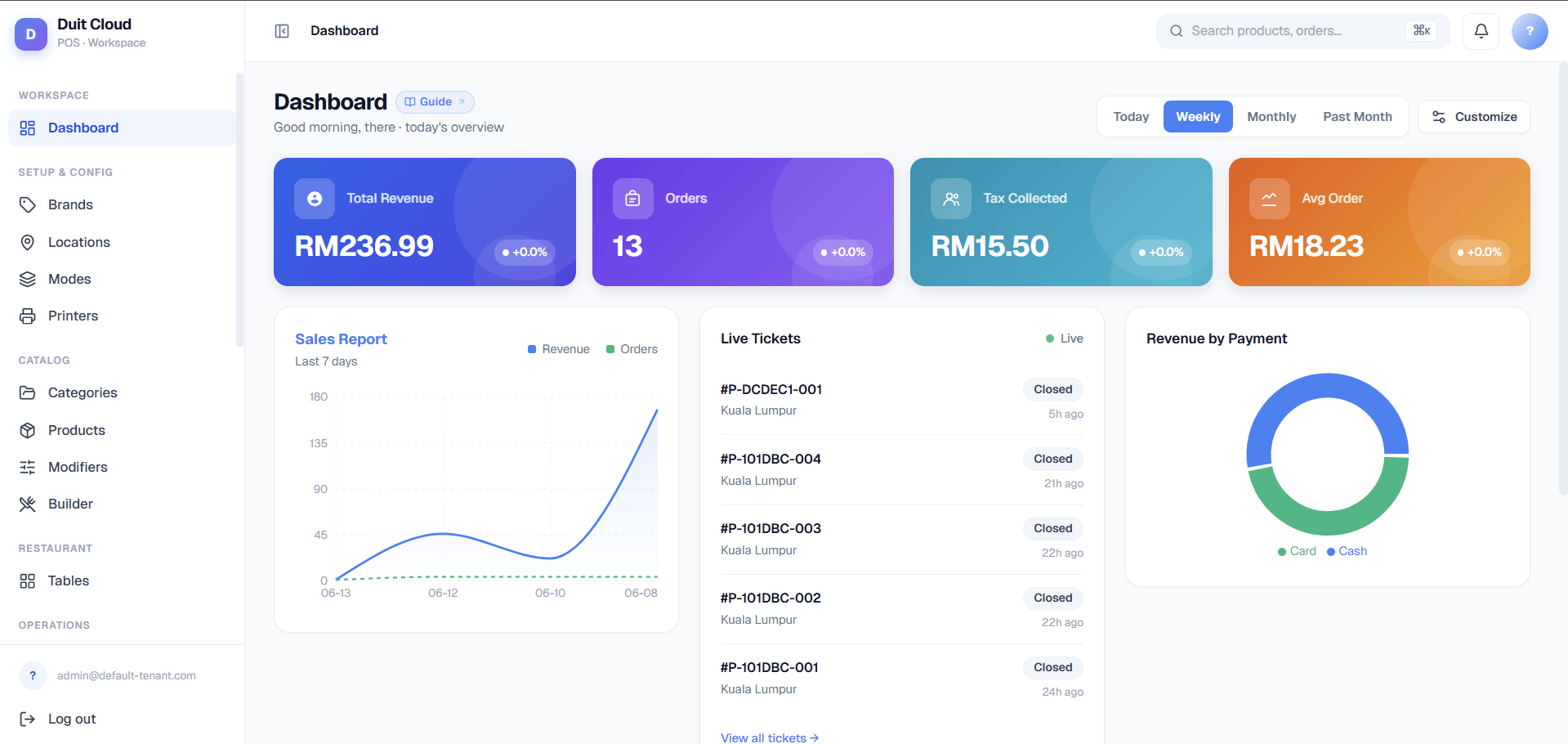
- Search — Find any record quickly across the system. Type a product name, employee, or ticket number.
- Notifications — Alerts for important events such as failed payments or import errors.
- Account menu — Change your password, switch language, or sign out.
- Help (?) — Every page has a ? icon in the top-right of the page header. Clicking it opens the relevant help article for that page directly.
Dashboard Sections
Sidebar Navigation
The sidebar on the left contains all sections grouped by category. Click any section header to expand it. The active page is highlighted.Key Metrics Widget
The top of the dashboard shows today’s key numbers at a glance:- Total Sales — gross revenue since midnight.
- Order Count — total tickets created today.
- Average Order Value — total sales divided by order count.
- Active Terminals — how many POS devices are currently logged in.
Frequently Asked Questions
How do I get back to the dashboard from a deep page?
How do I get back to the dashboard from a deep page?
Click the DuitPOS logo in the top-left corner at any time to return to the main dashboard.
I do not see a section that was described — why?
I do not see a section that was described — why?
Some sections are hidden based on your role permissions. If you need access to a section you cannot see, ask your administrator to update your role under Users → Roles.
Can I customise the dashboard layout?
Can I customise the dashboard layout?
The main widget area can be reordered by dragging cards. The sidebar order is fixed by section grouping.
What does the notification bell show?
What does the notification bell show?
Notifications include failed payment alerts, import completion results, and any system messages from your administrator. Click the bell to see all unread notifications.
Related
First Login
Sign in and get oriented
Setup Checklist
Complete your initial configuration
Creating a DuitPOS Account
Sign up for a new account
Users & Roles
Control who can see what