

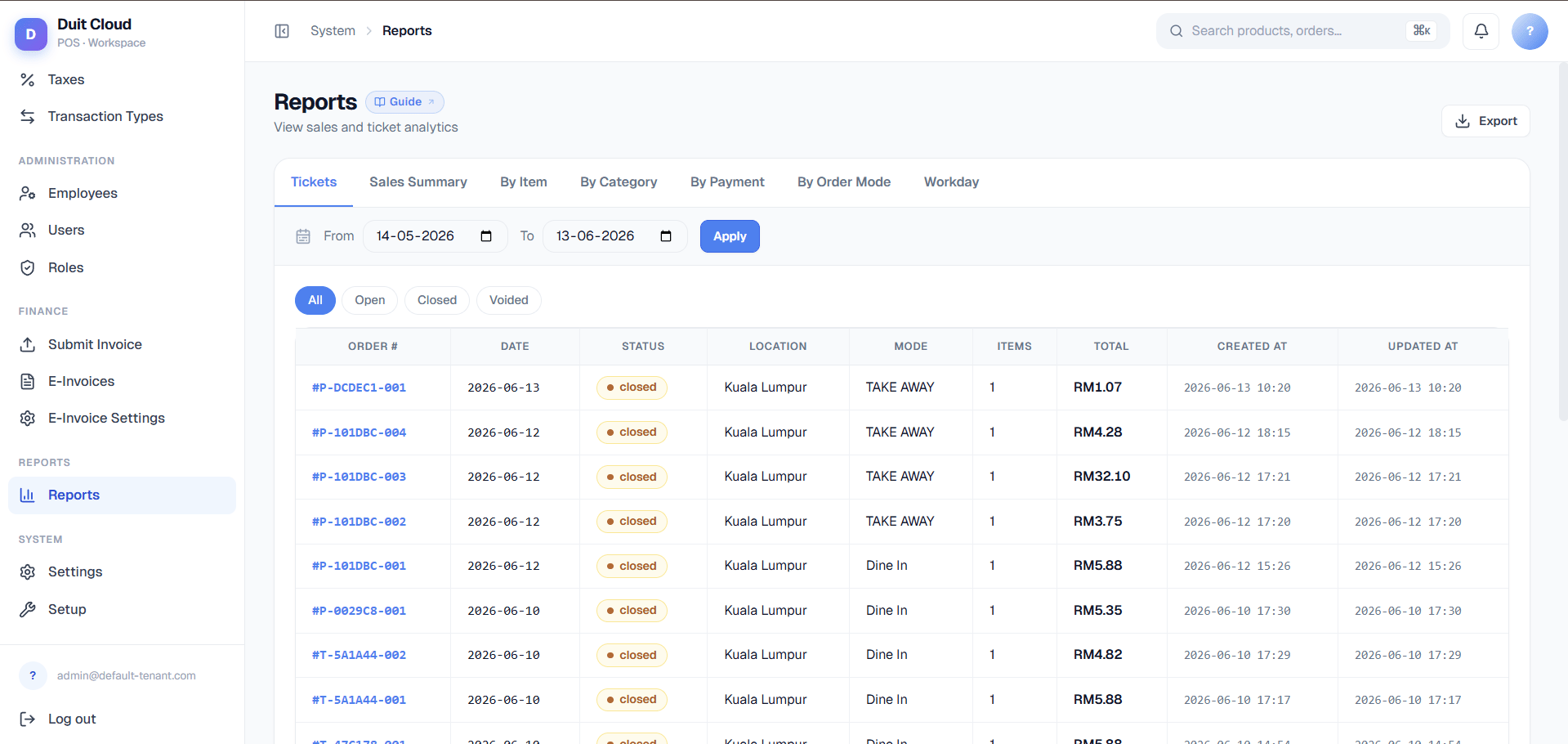
Which Report Do I Want?
Start here before opening any report.
Those nine rows are the nine tabs, grouped into three families, each with its own page:
- Sales Reports — Sales Summary, By Item, By Category, By Payment, By Order Mode, By Terminal. Six aggregate reports: every one of them groups and sums transaction data, and every one shares the same filters and export behavior described below.
- Tickets & Voids — Ticket Summary and Item Reason Summary. These two are different in kind, not just in subject: Ticket Summary is the only report that isn’t aggregated at all (one row per order, with a drill-down detail view), and Item Reason Summary is the only report that requires a Reason to exist on a line item before it shows up.
- Workday Reports — shift and till reconciliation. This lives on a separate backend service from the other eight reports (specifically so it can reflect offline-synced tickets live rather than from a cache), has its own filter set, and is documented on its own page.
Shared Filters
Sales Summary, By Item, By Category, By Payment, By Order Mode, By Terminal, Ticket Summary, and Item Reason Summary — all eight of them, everything except Workday Reports — share the same filter bar:
Ticket Summary has one filter none of the other seven get: Status (All / Open / Closed / Voided) — see Tickets & Voids for why.
Export
Every report in this family (Sales Reports and Tickets & Voids — not Workday’s live views) can be exported to CSV or XLSX.1
Set your filters
Apply the date range, location, and order mode you want before exporting — the export includes every row matching the current filters, not just what’s visible on screen.
2
Click Export
Click the Export button on the report toolbar and choose CSV or XLSX.
3
Download the file
For smaller result sets, the file downloads immediately. For larger ones, see the note below — nothing extra to configure either way.
Frequently Asked Questions
Why don't my By Item totals match my Sales Summary totals?
Why don't my By Item totals match my Sales Summary totals?
This is expected, not a bug. By Item deliberately excludes voided line items, so it reflects what actually sold — Sales Summary and Ticket Summary include the full transaction history. If a cashier rings up an item and then voids it, Sales Summary reflects the ticket’s final state but By Item simply won’t count the voided line. See Sales Reports for details.
Why is a sale from late last night showing up on the wrong day?
Why is a sale from late last night showing up on the wrong day?
Reports filter by business date, which follows your location’s configured timezone and trading hours — not the exact clock timestamp. If you trade past midnight, check Workday Reports instead, since a workday groups a full trading session together even if it spans two calendar days.
Which report should I use to investigate one order a customer is asking about?
Which report should I use to investigate one order a customer is asking about?
Ticket Summary. It’s the only report with a Status filter and the only one where clicking a row opens a full order detail — every line item, modifiers, payments, and timestamps. See Tickets & Voids.
Item Reason Summary is empty even though I know we've had voids — why?
Item Reason Summary is empty even though I know we've had voids — why?
Item Reason Summary only shows line items that have a Reason attached. If staff void or comp an item without selecting a reason code, it won’t appear in this report at all, even though the void itself is recorded. Configure reason codes under Reasons and make sure staff are selecting one when they void, comp, or gift an item.
Related
Sales Reports
The six aggregate reports — Sales Summary, By Item, By Category, By Payment, By Order Mode, By Terminal
Tickets & Voids
Look up a specific order or investigate voids, comps, and gifts
Workday Reports
Shift-level reconciliation and live till tracking
Import History
Review past bulk import results